| Welcome to the June edition! No, the May edition didn't get nabbed by your spam filter; things just got so busy here at Brainwrap HQ that I never got around to sending one out last month. Speaking of which, I'm happy to announce the arrival of a new client site and revamps of two existing ones! But first... |
Featured Topic: Spam, Spam, Spam, Spam...
It's everywhere, and seemingly impossible to avoid. Over 95% of all email is now spam of one sort or another, with over 100 billion spam messages being sent worldwide every day. The average email account receives over 400 of these irritating (and sometimes dangerous) messages per day. Just about every method has been tried to stop (or at least slow down) the onslaught, and yet it persists. However, there are some simple things that can be done to keep your own inbox relatively spam-free. There are three points at which you can stop spam: The first, of course, is to prevent the spammers from getting ahold of your email address in the first place. Doing things like removing your email address from your website (or using phoenetics and spaces to spell it out, like "cgaba (at) brainwrap (dot) com") can help a little bit with this, but have the downside of making it more difficult for your customers to actually get ahold of you, so I'm not sure how useful that is. A better suggestion is to create a special "junk" email address to use just for things like posting on public message boards or newsgroups, or even creating multiple email accounts to use for different functions (one for personal use, one for work, one for buying stuff online, etc). The second stage of spam filtering is done at the server level--that is, before it even gets to your in-box. Any decent email hosting service (usually the same company providing the website hosting for your domain name) should have some sort of server-side spam filtering system available for your use. For those of you utilizing Brainwrap's hosting service, there's a powerful--and customizable--server-side spam filter called, appropriately enough, Spam Assassin. If you're not already utilizing it, here's how to do so:
I know the above steps sound tedious, but they actually go quite quickly once you get the hang of it, and after doing a few "training sessions" with several batches of email, you should start to see the database become more and more accurate. For instance, in my case, I've received almost 630,000 emails in the past 2.5 years--an average of nearly 700 per day. Of those, Spam Assassin has filtered out 92% of it (almost 580,000 messages) before they ever got to my in-box. Of course, that still leaves nearly 50,000 messages that did make it through to my in-box, most of which is still spam. Still, I've cut down the number of spam messages reaching my in-box from 700 per day to less than 60--not too shabby! So, what about the third line of defense: The client-side spam filter? Well, this essay is getting a bit long, so I'll save that for next month's edition! |
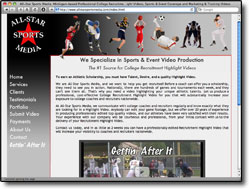
NEW CLIENT: All-Star Sports Media
A basic website featuring a variety of embedded sample video clips.
|
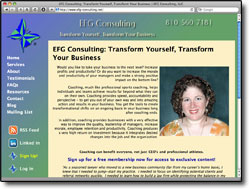
REVAMPED SITE: EFG Consulting
The EFG Consulting site may look pretty much the same, but it's chock-full of brand new features, including a better-integrated blog, RSS feed, and most notably an all-new free account signup function to receive special members-only exclusive content, tips and discounts! |
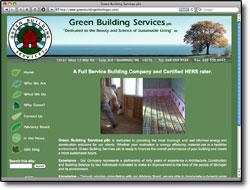
REVAMPED SITE: Green Building Services of Michigan
Again, while the website may look the same on the outside, under the hood it's had a complete overhaul. In addition to the blog and RSS feed, the GBS site now features a Content Management System to allow the client to easily make most future website updates and additions by himself, saving time and money going forward. |
|
That (brain)wraps up this edition. I welcome your feedback, and, as always, appreciate your business. |

"Being on the web shouldn't make your head hurt."
email: info@brainwrap.com
email: info@brainwrap.com

New/Updated Clients
- Skin Theory Wellness & Medspa
- Blue Sky Builders
- Mercy High School (redesign)
- HPS Consultants
- Green Building Services pllc
- Office Furniture Warehouse of Michigan
- BME Attachments (updated)
- Petronis Industries (redesign)
- Victor Hayes Co (redesign)
- Pneumatic Technology (updated)
- Rocks 'n' Roots (update)


All original content on this site is Copyright © 2026 Brainwrap LLC. Third-party logos © their respective owners.
(Bloomfield Hills - Detroit, Michigan)
(Bloomfield Hills - Detroit, Michigan)
